
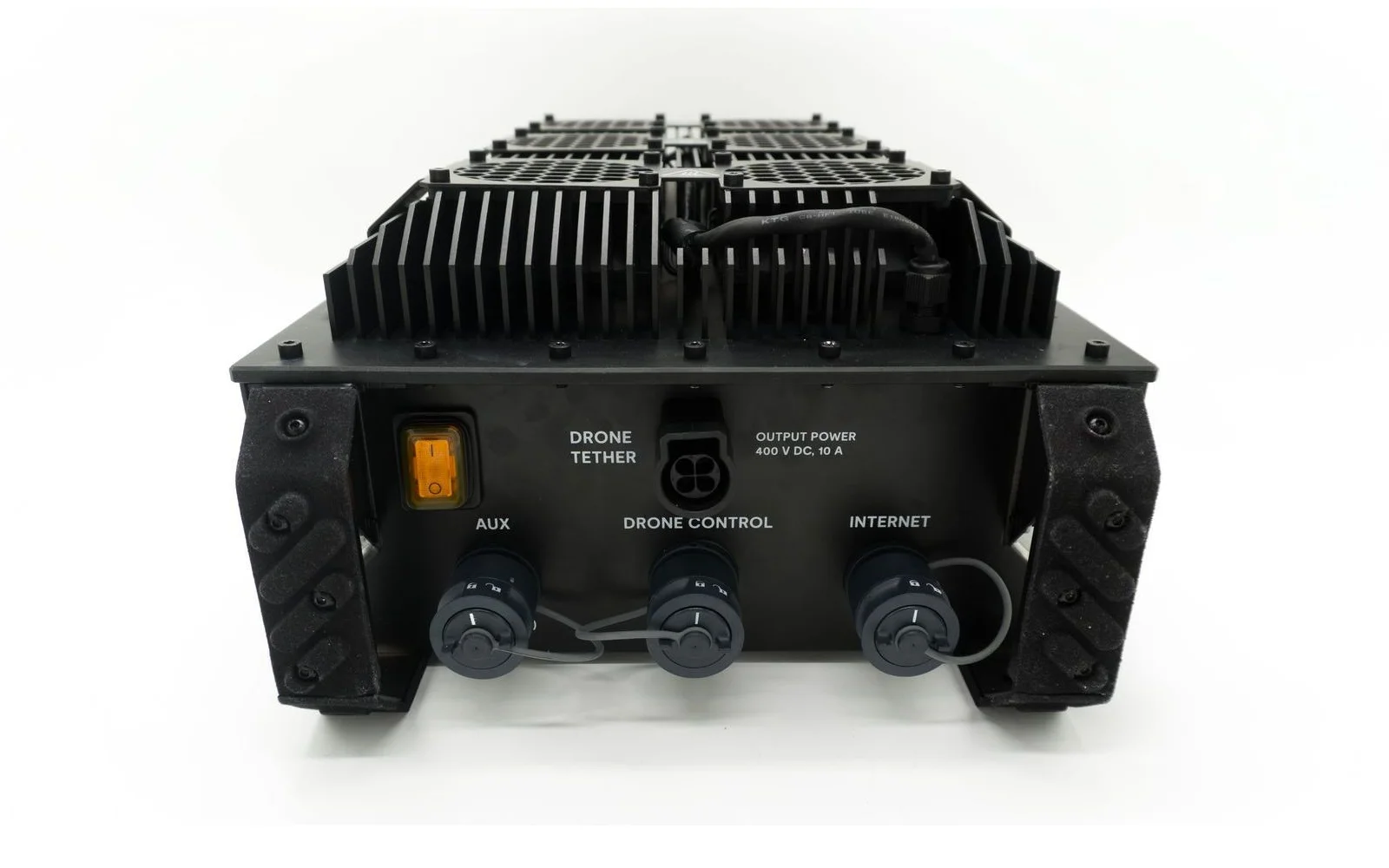
On webinars and Teams calls, one question keeps coming up: what is at the other end of the tether? The ground station. It powers the Scout 137 Gen 3, talks to it, and connects it to the pilot and, if you want, to the internet.
What it does
- Power. It takes site power (200 to 240 V AC, 50/60 Hz) and sends 400 V DC up the tether. There is no battery in the drone and none in the ground station, so flight time is effectively unlimited.
- Control and data. The same tether carries an 80 Mbit/s data link using power-line communication: commands, video, LiDAR and measurements. There is no radio link anywhere in the system.
- Network. The pilot tablet plugs in with an Ethernet cable, and an optional internet connection lets you livestream to Scout Portal.
It measures 385 × 440 × 245 mm, weighs 10.7 kg (28 kg in its case), is designed to meet IP54 and works from −20 °C to +50 °C. The whole drone system typically draws 1000 to 1500 W.
Ports and connections
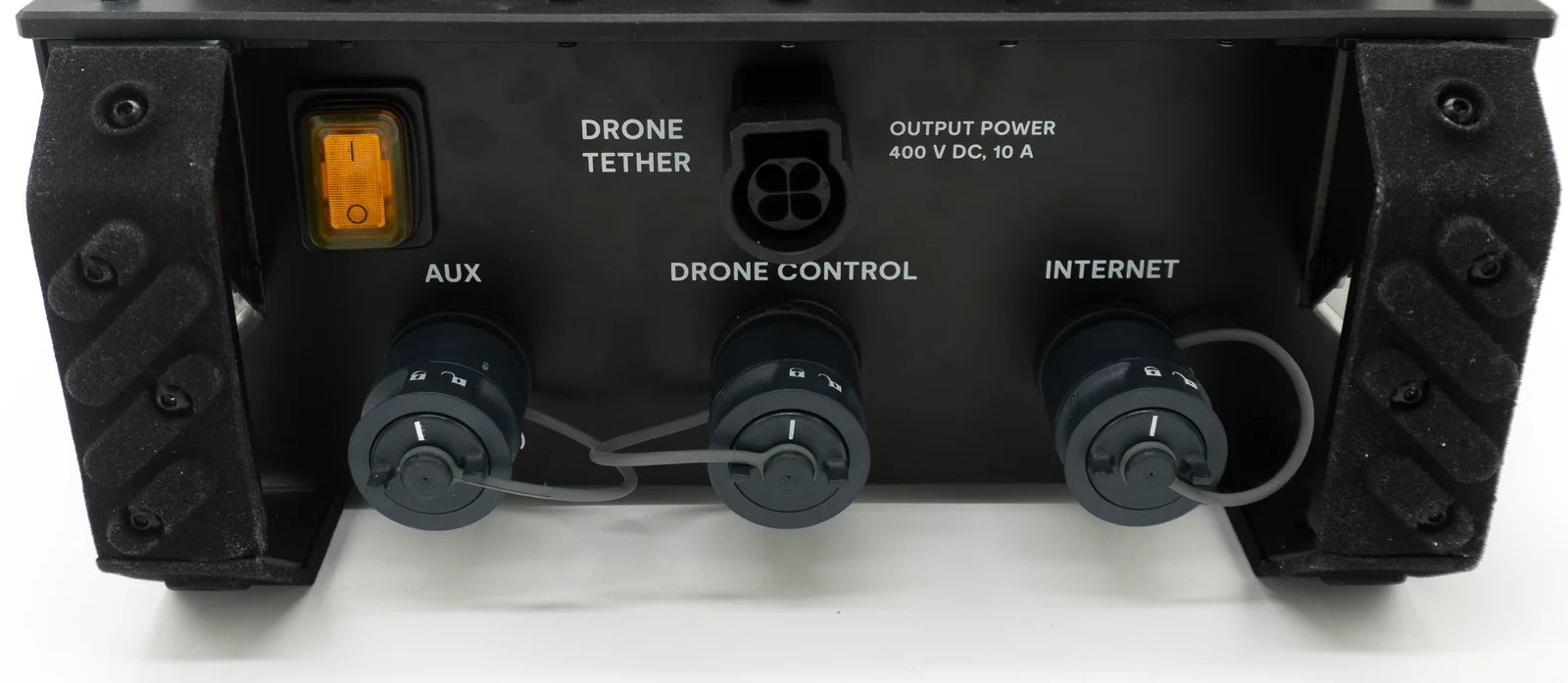
- DRONE TETHER: the tether socket. Power goes up, data comes back down.
- DRONE CONTROL: Ethernet to the pilot tablet running Scout Operator, with power over Ethernet. Cat 5e or Cat 6, up to 100 m; 5 m is supplied.
- AUX: a second network port, for example for a device running Scout Companion [verify with team].
- INTERNET: optional, for livestreaming to Scout Portal.
- Power switch: turns on the system and then the tether power [verify with team].
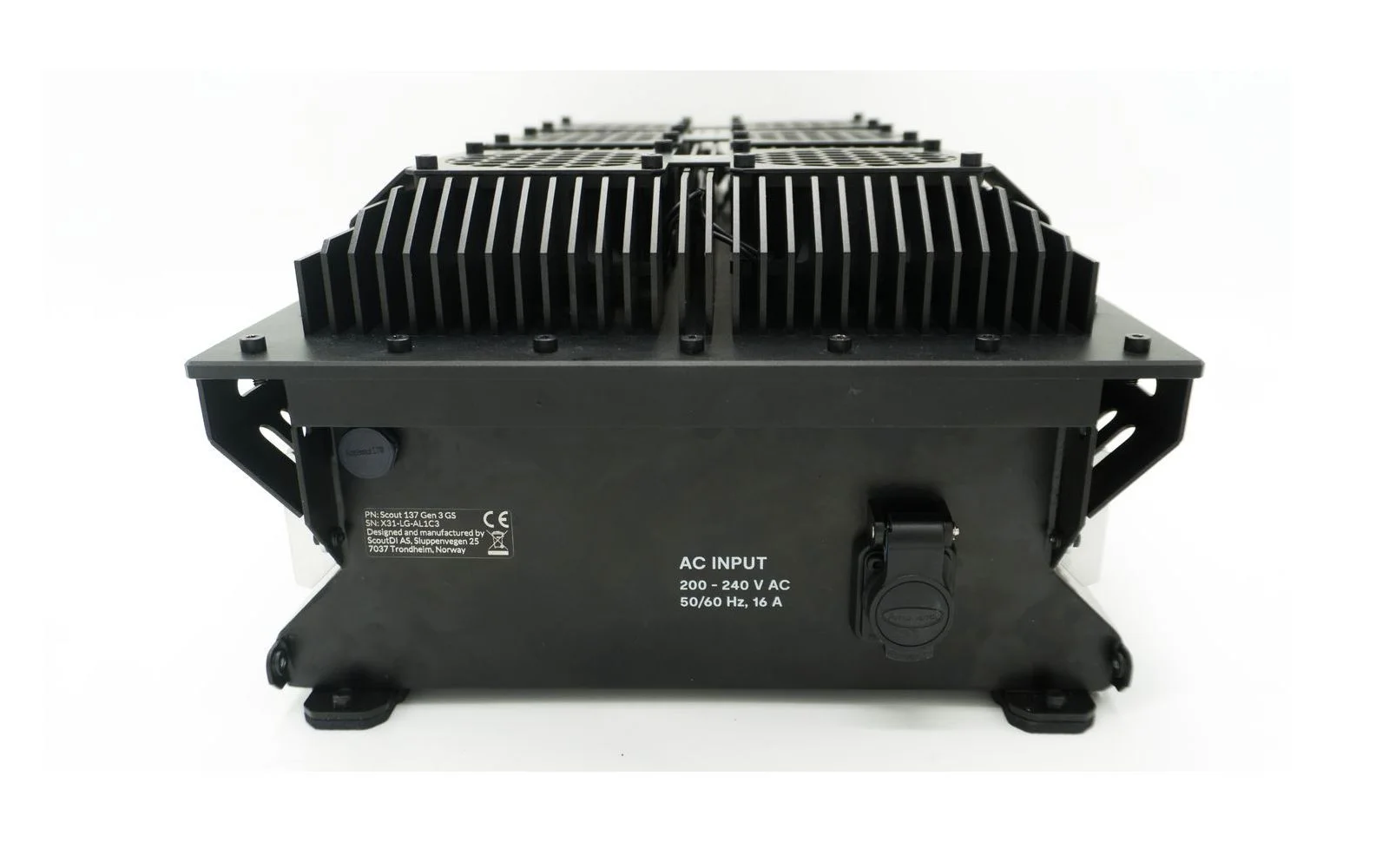
The AC power input is on the back.
Setting up on site
From the user manual:
- Plug the ground station into an AC outlet on a circuit of at least 16 A at 230 V, with protective earth, and no other high-power devices on the same fuse. The AC cable can be up to 50 m (1.5 mm² cable, 16 A circuit).
- Unwind the tether completely, connect both ends and attach the strain reliefs at both ends.
- Connect the tablet to DRONE CONTROL through its USB hub, and the internet cable if you are livestreaming.
- Switch on tether power. The drone beeps and Scout Operator connects within about 90 seconds.
To finish, tap Shutdown in Scout Operator, wait 15 seconds, and switch off tether power before disconnecting.
Placement is not critical. Put the ground station somewhere fairly dry where air can circulate freely. Do not run it inside its Peli transport case. For where it may stand on site, follow the site’s own permits and procedures.
Powering the ground station in the field
This reflects ScoutDI’s guidance as of September 2026.
The ground station has no built-in power redundancy, and even a stable supply can become unreliable when heavy machinery shares the grid, for example on a ship. We recommend one of two set-ups.
Mains with an online UPS: unlimited flight time. Site power is primary, and the UPS bridges short outages so the pilot has time to land. Use an online single-phase UPS (VFI, double conversion) with 0 ms switchover, at least 3000 VA / 2700 W and 220/230/240 V AC output, connected with a C20 plug at the UPS and a Schurter connector at the ground station. Charge it fully and monitor it during the flight.
A battery power station on its own: limited flight time. With no grid connection, flight time depends on capacity, from about 1 to 6 hours. The system draws about 1.0 to 1.5 kWh per flight hour at 230/240 V AC, with peaks up to 2 kW. Use the power station standalone only, never in its “UPS-like” mode, and keep it above 20 % charge. When you choose a unit, check that it has:
- 230/240 V AC output. In the US, that means 240 V split-phase; if one unit gives only 120 V, link two units.
- Output that handles peaks up to 2 kW.
- Enough capacity for your flights. Estimate flight time from 80 % of rated capacity at 1.0 to 1.5 kWh per flight hour, and check it against your payload, wind and temperature.
- A standalone mode you can use, not only a “UPS-like” mode.
These are guidelines, not guaranteed backup solutions: test the unit you choose locally. Contact ScoutDI for the models we currently recommend.
Generators: [verify with team].


